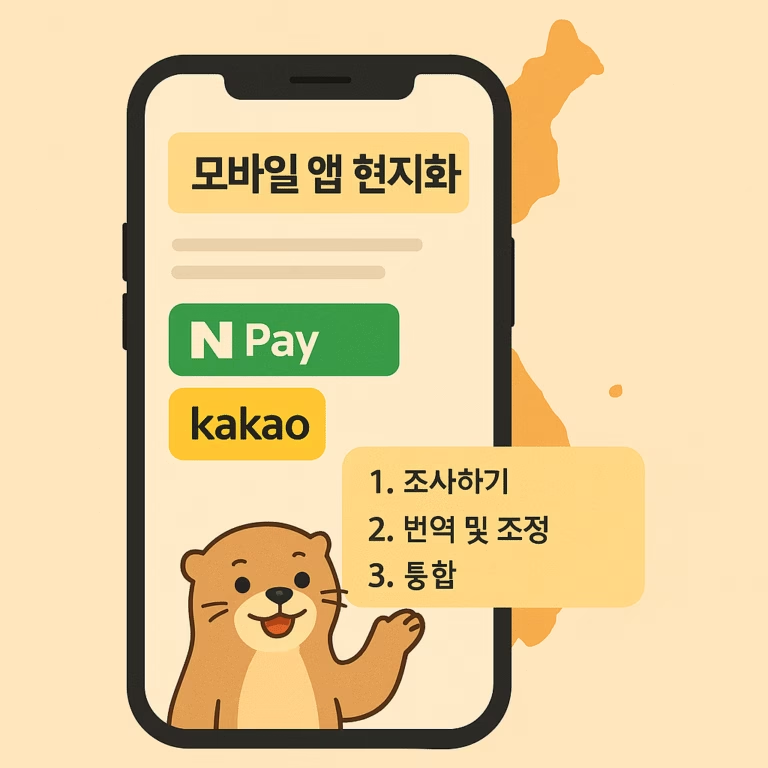

A translated app can pass a language review and still feel unfinished to Korean users. The problem is usually not one bad sentence. It is a fragmented scope: the store listing says one thing, onboarding uses a different tone, buttons feel mechanical, notification copy was never reviewed, and nobody owns the final Korean QA pass.
Teams often search for App localization Korean support when they need translation. What they usually need is a release plan that connects language, product context, store discovery, interface behavior, and native review. This guide explains how to define that scope, what to request from a localization partner, and how to approve the work before launch.
If you first need the market-entry case for localization, read why mobile apps fail in Korea and how localization fixes it. This article takes the next step: turning the decision to localize into a practical production and QA brief.
What should app localization for Korean users include?
Do not start with a word count alone. Build an inventory of every place where a Korean user discovers, evaluates, uses, pays for, or asks for help with the product.
A useful scope normally has four layers:
- Storefront: app name, subtitle or short description, full description, keywords where applicable, screenshots, preview captions, update notes, and in-app purchase names.
- Product experience: navigation, buttons, forms, validation messages, empty states, permissions, onboarding, settings, paywalls, and account flows.
- Lifecycle communication: push notifications, transactional email, help content, release notes, and cancellation or refund messages.
- Trust surfaces: privacy explanations, pricing and billing language, support responses, safety notices, and any product claims that require careful interpretation.
Apple and Google manage localization through different product and metadata structures. Review the current App Store Connect guidance for localized app information and the Android app localization guidance before preparing files. These references explain platform mechanics; your Korean brief still needs to define tone, terminology, screenshots, and review ownership.
This inventory also prevents a common launch failure: translating the most visible screens while leaving error messages, payment steps, or support replies in English. Mixed-language journeys make the product look untested even when the primary screens are polished.
Decide what Korean users should understand and do
Localization decisions become easier when each flow has a clear user outcome. Instead of asking, "Is this translation accurate?" ask, "Can the user understand the situation, trust the message, and take the intended action?"
For every important journey, document:
- Who the user is and what they already know.
- The decision or action the screen should support.
- The product terms that must remain consistent.
- The claims that cannot be changed.
- The degree of formality appropriate for the category.
- Any character, layout, or implementation limits.
- The reviewer who can answer product questions.
This is especially important for short interface copy. A two-word English button may depend on the surrounding screen, the user’s previous action, and what happens next. A translator working from an isolated spreadsheet can only guess. Screenshots, flow notes, and string descriptions reduce that ambiguity before it becomes a revision.
In Korean IT marketing and global-client collaboration, a recurring review problem is that the person checking language receives the context too late. By then, screenshots have been approved and engineering changes feel expensive. Give the Korean reviewer access to the journey while the wording is still flexible.
Build the Korean glossary and style guide before translation
A lightweight glossary is one of the highest-value deliverables in the project. It should identify product names, feature terms, category vocabulary, and words that may be translated, transliterated, or kept in English.
For each important term, record:
- Approved Korean expression.
- Terms that must not be used.
- Short context or screenshot.
- Whether English may remain in the interface.
- Preferred spacing and capitalization.
- The owner of the final decision.
The style guide should answer a different set of questions. Define the relationship between the product and the user, including level of politeness, sentence endings, pronouns, button style, punctuation, error-message tone, and how direct the product should sound.
Do not assume that one tone works everywhere. A friendly onboarding message, a payment warning, and a privacy explanation may need different levels of warmth and directness while still sounding like the same product. The guide should create consistency without forcing every string into the same voice.
Localize store discovery separately from in-app language
The store listing and the product interface serve different jobs. The listing helps a user discover and evaluate the app. The interface helps that user complete tasks after installation.
For the store listing, review:
- The search terms Korean users actually use for the problem or category.
- The promise made by the title, description, and first screenshots.
- Whether screenshots show recognizable use cases rather than translated decoration.
- Whether the listing language matches the experience after install.
- Which claims can be supported by the actual product.
Directly translating English keywords is risky because search intent may not map word for word. The same applies to screenshot headlines: a literal sentence can be correct but too long, too abstract, or too formal for a small mobile creative.
Inside the app, prioritize task clarity. Buttons should make the next action obvious. Empty states should help the user recover. Errors should explain what happened without sounding accusatory. Paywall and cancellation copy should be precise enough for a user to understand the commitment.
Treat the store and the product as separate workstreams with one shared glossary. That gives each surface the right copy while keeping the terminology recognizable.
How should Korean linguistic and functional QA work?

One proofreading pass is not enough. Plan at least three distinct reviews, even if one person performs more than one role.
1. Linguistic review
Check meaning, grammar, spacing, terminology, tone, and consistency. Review strings in context rather than approving the source file alone. Confirm that short copy still communicates the intended action and that longer explanations do not preserve awkward English sentence structure.
2. Visual and interface review
Run the localized build and inspect every priority flow. Look for truncation, unexpected line breaks, crowded buttons, missing strings, mixed languages, broken variables, and screenshots that no longer match the interface.
3. Functional journey review
Complete real tasks in Korean: create an account, recover a password, change settings, start and cancel a plan, trigger an error, receive a notification, and contact support. The purpose is not only to find language mistakes. It is to confirm that the localized copy leads to the correct outcome.
Record issues in a shared query log with the screen, string ID, screenshot, severity, owner, decision, and final resolution. This creates an audit trail and prevents the same terminology debate from returning in later releases.
What should a Korean app localization partner deliver?
A buyer should be able to evaluate the work by its outputs, not by a vague promise of native translation. Agree on the deliverables before the first string is translated.
Request a package that includes:
- A confirmed content inventory and exclusions.
- A Korean glossary and short style guide.
- Translated strings in the required technical format.
- A query log for ambiguous product language.
- Localized store metadata and creative copy where included.
- A linguistic QA report from the implemented build.
- Screenshots or evidence for critical fixes.
- Final implementation notes and unresolved risks.
- A revision process for product changes during the project.
Also clarify who handles engineering, screenshot production, store entry, functional testing, and release approval. A language specialist may provide excellent strings without owning implementation. That is acceptable when the handoff is explicit.
Ask how the partner will protect consistency when several people work on the account. The answer should include a glossary, decision log, or review process—not only an assurance that all translators are native speakers.
Choose a minimum viable scope without creating a broken journey
When budget or time is limited, reduce the number of journeys rather than translating random fragments of the whole product.
A minimum viable Korean release might focus on:
- One store listing.
- One acquisition promise.
- Onboarding and the primary product task.
- Account, pricing, and cancellation essentials.
- Core error and support messages.
- Native review of the complete selected journey.
A fuller launch can then add secondary features, lifecycle campaigns, expanded help content, more screenshot variants, and ongoing release localization.
The important rule is continuity. A narrow journey that works completely is more useful than a wide inventory where the user meets English, inconsistent terminology, or unreviewed payment copy at a critical moment.
Red flags before you approve the project
Pause before launch if any of these are still true:
- The team cannot say which screens and messages are included.
- The translator receives strings without screenshots or descriptions.
- Store metadata is treated as a copy of the in-app text.
- Nobody owns Korean terminology decisions.
- QA means reading a spreadsheet rather than testing the build.
- The app mixes formal and casual language without a reason.
- Screenshot copy, UI copy, and support copy use different feature names.
- The partner cannot explain what happens when source strings change.
These are scope problems, not cosmetic issues. Fixing them before release protects both the user experience and the team’s revision budget.
Frequently asked questions
Is Korean translation enough for an app launch?
No. Translation is one production step. A launch also needs localized store messaging, contextual interface copy, consistent terminology, implemented-build QA, and a plan for support and future updates. The exact scope depends on the product, but the user journey should not break when language changes.
Do we need a native Korean tester?
You need a reviewer who can judge natural Korean in context and complete the priority journeys on the implemented build. That person may be the translator, a separate language reviewer, or a product tester with suitable language expertise. What matters is that native judgment happens in the actual experience, not only in a text file.
Turn App localization Korean requirements into a release brief
Good Korean app localization is not a pile of translated strings. It is a controlled release process with a defined inventory, product context, terminology decisions, store and interface workstreams, and evidence-based QA.
My work combines Korean IT marketing, Korean-market content production, and collaboration with global clients. I can help shape Korean terminology, interface and marketing copy, store messaging, and a practical review plan around your product.
If you are preparing an app for Korea, review the Korean localization service and send the product link, target user, platforms, priority flows, file format, and expected launch date. We can turn those inputs into a clear localization scope before translation or QA begins.