

Your app is available in Korean, but its reminder arrives in English. Or the notification sounds natural, yet opens the wrong lesson, an expired offer, or a screen the user cannot read. Rewriting the headline will not fix every part of that journey.
Korean push notification localization for mobile apps should connect three things: a truthful message, an explicit language-selection rule, and the destination after the tap. For global product and lifecycle teams, the useful deliverable is a reviewed notification flow—not a list of translated titles. Here is how to brief that work, check Korean copy in context, and approve the implemented result without assuming that localization alone will improve retention.
Start with the event, not the English sentence
Choose one notification your team can trigger and test. A learning reminder, saved-item prompt, and account-status alert do different jobs. They should not inherit the same playful wording simply because the source campaign uses one voice.
For each message, record the event that makes it eligible, the intended recipient, what the recipient already knows, and the next action. If the event is “a saved item is still available,” the writer needs to know whether the item remains available when the message is opened. If the event is “your upload finished,” the product owner must confirm that the upload actually completed. Avoid asking a language specialist to infer those states from a campaign name.
Include the notification title, body, any action labels, the destination, and recovery behavior. Define what happens if the person is signed out, the item has disappeared, or the app is on an older supported build. These are product decisions that affect wording. For the wider release inventory, see our Korean app localization scope and QA checklist.
Decide which language the notification should use
A person living in Korea may use an English-language phone, choose Korean inside the app, or change their preference after registering for notifications. Country, device language, and account preference are not interchangeable inputs. Ask your engineering and lifecycle owners to document which setting governs each notification type and when it is refreshed.
The implementation matters. Firebase’s message-localization documentation describes sending resource keys and arguments so the device can construct a localized notification from strings included in the app. Apple’s remote-notification payload guide also documents localization keys and arguments. If your stack instead sends finished text from a campaign platform, that platform needs an appropriate language-selection rule and the approved Korean version.
Do not treat one approach as a universal guarantee that every in-app language preference will automatically control every push. Have the implementation owner confirm the actual behavior. Specify the fallback for a missing Korean string, unsupported preference, or unavailable resource key; then test it. A deliberate fallback is different from an accidental English message, a blank alert, or a visible string ID.
Keep ownership clear: the Korean reviewer approves meaning and tone, engineering owns language resolution and payload behavior, and the campaign owner approves audience eligibility and timing. A country-based audience filter does not replace any of those checks.
Write Korean copy around a useful next action
Put the reason to act ahead of decorative enthusiasm. The recipient should recognize what the message concerns before it asks them to return. Choose a Korean sentence style that fits the product, then allow precise exceptions for security, payment, or failed actions. Our Korean UX writing guide covers tone and functional wording in the interface.
Consider these illustrative drafts, not universal translations or tested campaign winners:
A learning reminder should identify the available lesson
For a real lesson the user can resume, “이어서 학습해 보세요” means “Continue learning.” It can work when the destination clearly resumes that lesson. If the notification instead opens a general catalog, either change the destination or write a message that accurately describes browsing. Do not invent an unfinished lesson or a lost streak to create urgency.
A saved-item prompt should not invent a discount
“저장한 상품을 다시 확인해 보세요” means “Take another look at your saved item.” Use it only when the recipient has a saved item and the tap can show it. Add a sale claim only when the actual offer, eligible item, and campaign conditions have been approved. A translator should not turn a neutral reminder into a discount promise.
A status alert should describe the confirmed state
“업로드가 완료됐어요” means “Your upload is complete.” Approve that sentence only for a completed upload, not one still processing or waiting for review. If more steps remain, name the correct state. A friendly ending does not make a false status less misleading.
These examples show the same review principle: the Korean message must agree with the event and the screen. They are starting points for a product-specific brief, not substitutes for a native review of the implemented flow.
Review the complete rendered message, including variables
A title that fits in a spreadsheet can behave differently after a long product name, account name, date, or amount is inserted. Provide realistic examples and agreed boundary cases. Keep placeholder identifiers unchanged, and let the Korean reviewer restructure the full sentence rather than translate fragments that are later joined together.
Where a dynamic name would require a Korean grammatical particle, agree on a safe sentence pattern or a correctly implemented rule. Do not attach one fixed particle to every possible value and assume it remains natural. Also decide what happens when a value is empty, delayed, or unavailable. The reviewer needs the final rendered text, not just a template with brackets.
For resource-based notifications, check that the approved strings are present in the supported build and that the argument order matches the placeholders. For campaign-platform text, review the actual preview and a delivered test. Missing-string behavior and old app versions belong in the test plan, not in a last-minute copy note.
There is no single visible character count that guarantees a readable notification across all your supported phones and settings. Record any limits imposed by your system, but judge the actual title and body on the notification surfaces your users encounter. If the crucial meaning disappears in a shortened preview, move it earlier or shorten the message without changing the promise.
Test from delivery through the destination
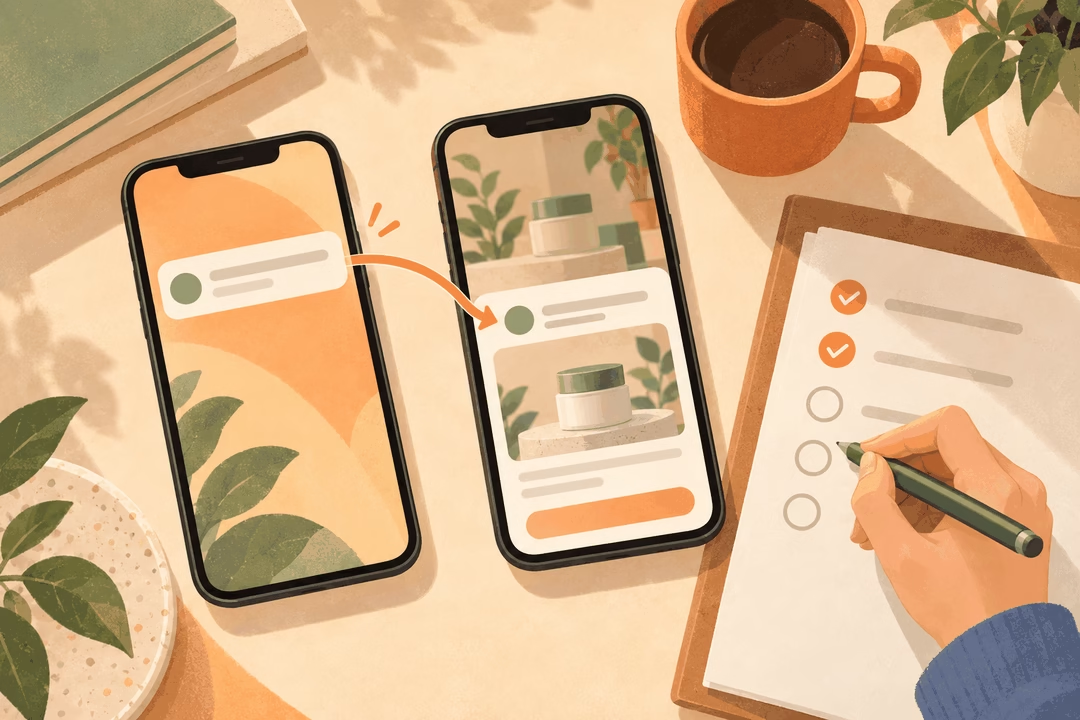
Use a small, explicit test matrix for the supported iOS and Android environments. Add cases for a Korean device setting, a different device language with a Korean app preference where supported, a changed preference, and the agreed fallback. The exact matrix should follow your implementation and user base—not a universal list of phone models.
For each case, trigger a real test notification and record:
- Language: Did the delivered message follow the documented rule rather than an assumed country setting?
- Rendering: Are title, body, variables, and any actions readable in the relevant notification view?
- State: Does the message still describe the actual item, lesson, account event, or offer?
- Navigation: Does the tap open the intended destination in the expected language?
- Recovery: Can the person continue after sign-in, a removed item, an expired campaign, or a supported older build?
- Timing: Does the send follow the approved schedule and audience rules? Delivery suppression should not be mistaken for a translation defect.
Capture the test environment, campaign or string ID, received wording, destination, observed defect, owner, and fix evidence. Separate a Korean wording issue from a routing bug or delivery problem. That distinction keeps the right team responsible and prevents an edited sentence from being recorded as a fix for broken navigation.
Before sending widely, have a native Korean reviewer follow the same journey without an explanation from the campaign team. Can they understand why the message arrived and what the tap will do? Can they finish the intended task? Resolve a wrong destination or false status before treating the copy as approved.
Scope the handoff and evaluate the first campaign
Request approved Korean titles and bodies, a short terminology and tone note, reviewed variable examples, unresolved product questions, and a QA log. Agree separately on who implements resource files or campaign entries, who sends tests, and who signs off on the destination. Translation, lifecycle configuration, engineering, and release approval are related workstreams, not automatically one service.
After release, examine the campaign’s intended outcome as well as opens. A tap is useful only in context: resuming the lesson, viewing the relevant item, or completing the intended account task. Review destination errors, support questions, and any reliable opt-out or complaint signals available in your stack. Compare variants with reasonably comparable audiences, events, schedules, and destinations. If several of those changed, do not attribute the outcome to Korean wording alone.
Should every push notification be localized before a Korea launch?
Inventory them all, then prioritize complete flows. A small set of correctly localized and tested messages is safer than translating random campaigns while leaving their destinations unfinished. Essential account or service messages need their own scope and approval; promotional experiments should not obscure them.
Can we translate the titles now and check the app later?
You can prepare drafts, but approval should wait until the event, variable examples, language behavior, and destination are known. Otherwise, the reviewer is approving assumptions. A limited pilot around one real notification flow is a practical way to establish the process before expanding it.
For Korean push notification localization for mobile apps, start with one event and finish the whole tap journey. If you need help shaping the Korean copy and review brief, our Korean localization service is a starting point. Share the app, notification samples, audience, supported platforms, and intended destinations through the form below so we can discuss a focused language-review scope.